



Hi all and welcome back! In this post we’ll be discussing how to give our LLMs long-term memory, short-term memory, and internet search in LangChain. We’ll do this by designing the modules we want our LLM to have and then discuss necessary principles in LangChain that explain our agent and what it can do such as AgentChains, Messages, and VectorDBs.
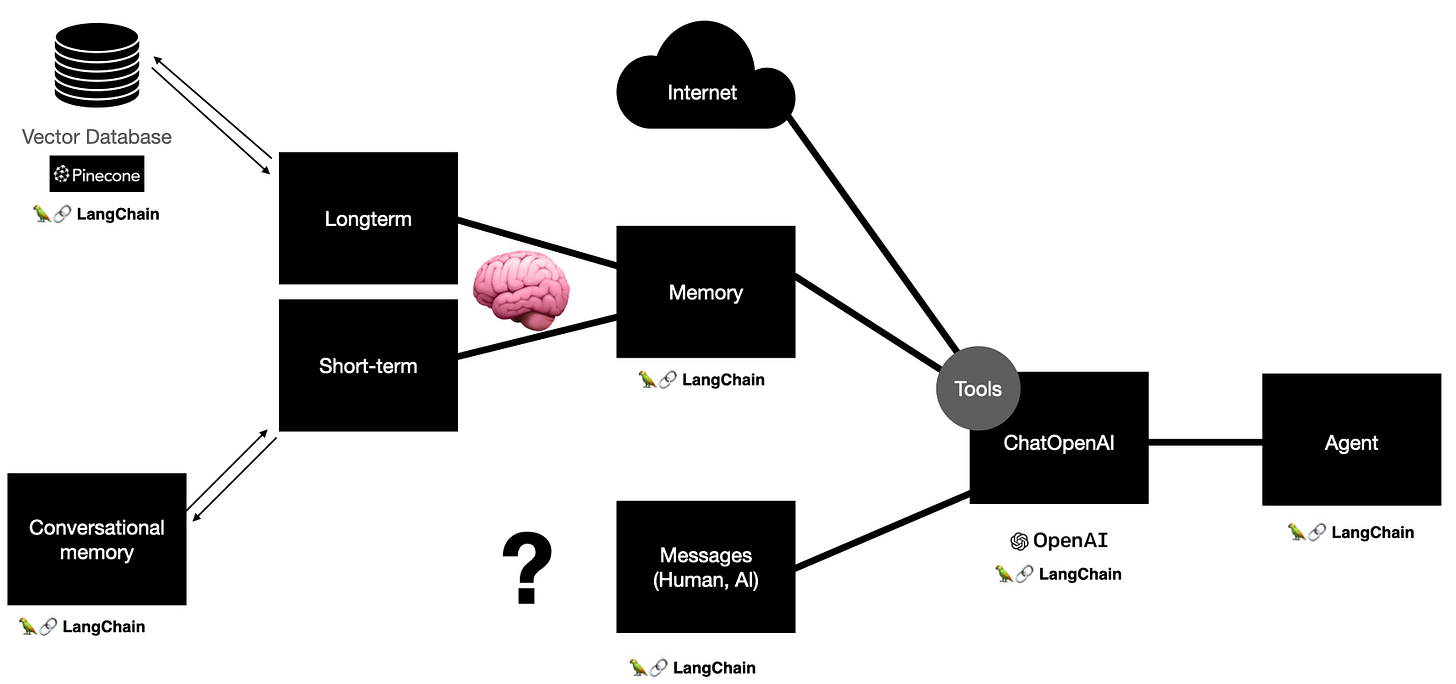
Let’s take a design-first-implement-second perspective starting with: what do we want our conversational agent to do?
-
Longterm memories: Our agent should store memories and remember memories. We can use vector stores.
-
Short-term memories: Our agent should be able to hold a conversation. This is chat memory that remembers messages of the conversation.
-
Internet access: Our agent should be able to search online for us. This is a search api.
-
Interpret a question and decide what the best course of action is: this is an agent as it needs to run an action, have an observation, and then check stuff.
-
Handle various inputs for the LLM agent such as human input, function input, and agent results? The concept of a messages such as function message, system (context messages for the LLM like “you’re a helpful AI agent”), AIMessage (message from the AI when it’s thinking or having a thought or responding), and HumanMessage (input from the user).
As always the code to find this project can be found here in the long_term_memory folder. The concepts and implementations will be heavily referenced from that codebase.
Concepts
LangChain
Agents in LangChain
Agents are entities in some environment that are able to take actions, observe the environment’s state, and then adjust accordingly repeating this loop ad infimum or until selectively deciding to stop. An analogy is when someone looks for food in the fridge. There first action is to go to the fridge then observe it’s still there, second is to open it and observe it’s there, and third is to find food and eat it (or if you’re like me become frustrated and eat out).
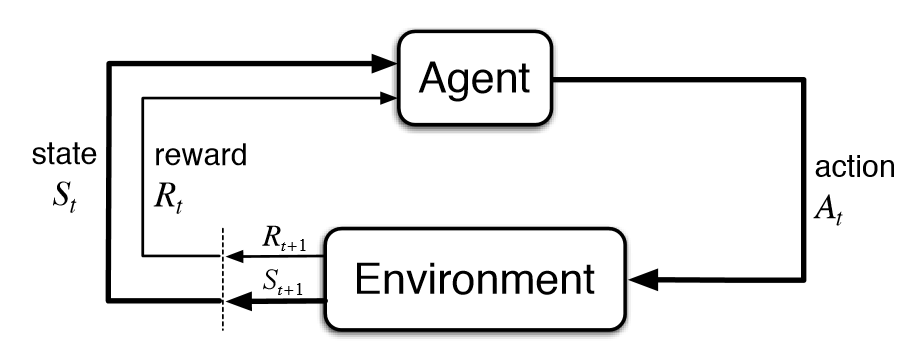
If you dive into the code in LangChain this is the underlying loop which adheres to the above diagram minus the reward. The idea is to let the agent decide what to do until it decides to finish.
next_action = agent.get_action(...)
while next_action != AgentFinish:
    observation = run(next_action)
    next_action = agent.get_action(..., next_action, observation)
return next_action
What powers our Agent in LangChain?
-
OpenAI’s LLM intergration.
-
Memory (short-term and longterm).
-
Internet search.
-
Communicating with the human user (ergo us).
ChatOpenAI
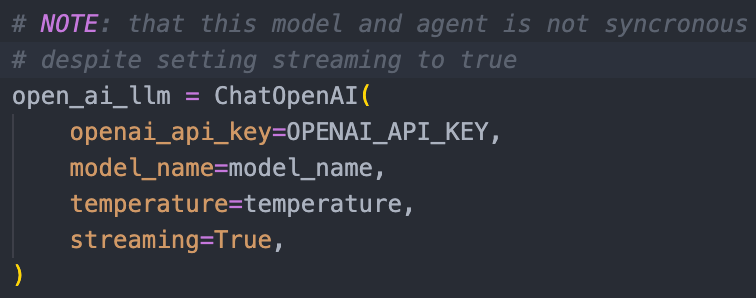
The LLM that will be reasoning about what an observation means and what action to take next will be a ChatOpenAI LLM. In code it looks like the figure below.
Messages
An agent, specifically a conversational agent in LangChain, passes around messages. A Message is a schema in LangChain that acts as the input data interface for AIMessages, HumanMessages, & FunctionMessages which structure the input and output data for the agent as it interacts with the environment communicating with itself, communicating with a human, or with other functions like the internet or memory respectively.
Tools
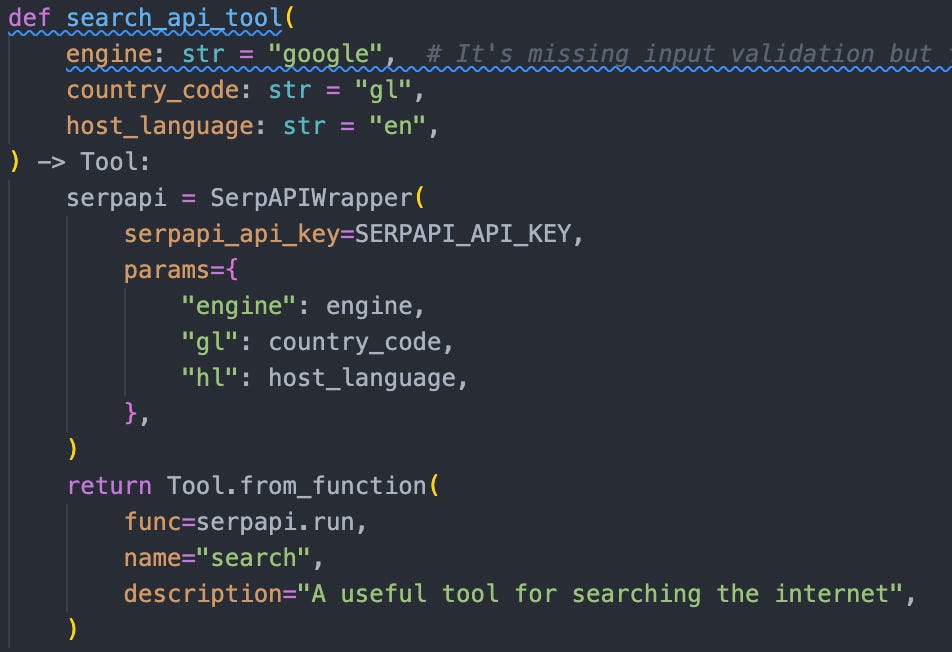
Tools are a generic function in LangChain that empower an agent to do some other task. At it’s core, a tool wraps a function to structure it’s inputs and outputs in a way that our agent can use.
Here’s an example of creating a tool that would allow us to search the internet using the Serp API.

To get a Serp API key which will allow internet search:
-
Navigate to Serp API.
-
Fill in your info and sign up.
-
Replace SERPAPI_API_KEY with your key.
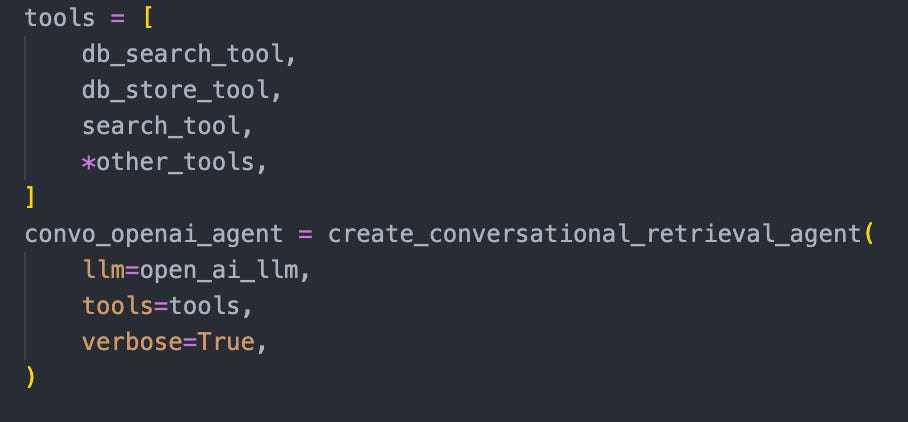
Note that we need to tell our agent that these tools exist, we do this here
Memory
Short-term memory
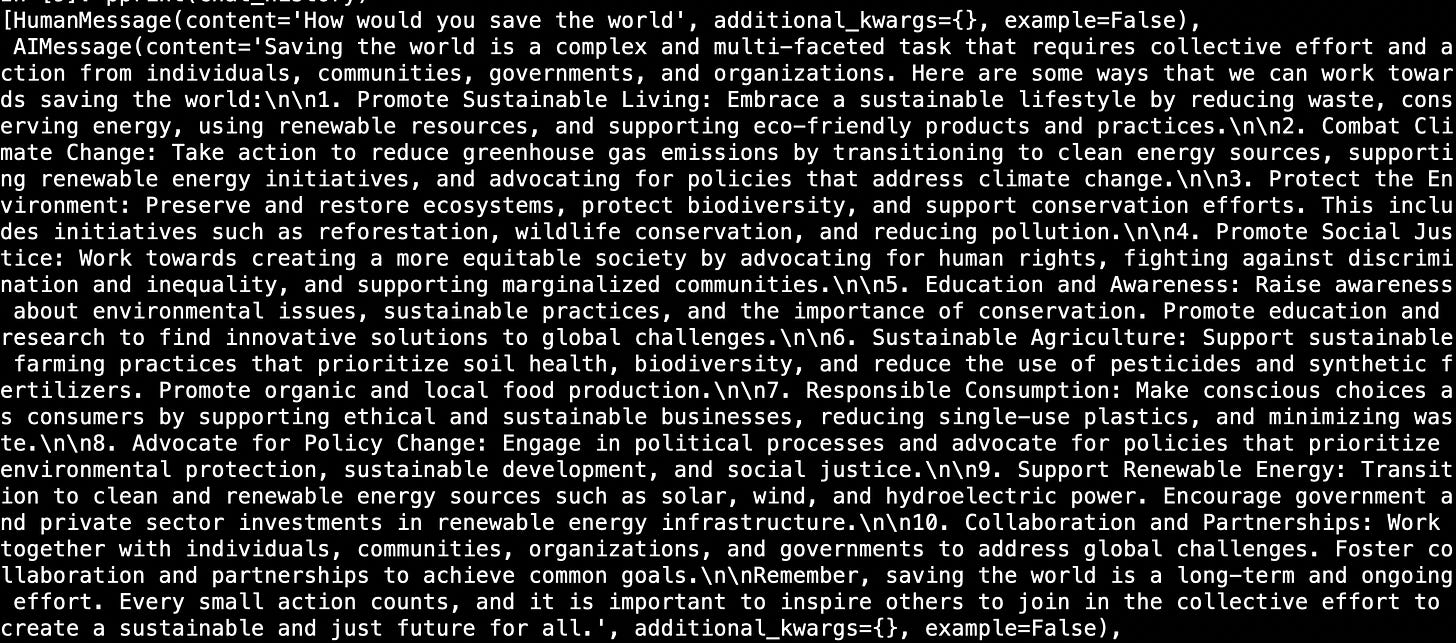
With our conversational chat agent we use a type of BaseChatMemory which is a conversation based memory that remembers specific chats as a list of messages (see the figure below). Note, because we’re using an agent we also have the option of saving more messages in AgentTokenBufferMemory which stores messages to function tools and to itself.
Before discussing long-term memory we need to take a detour and discuss the foundation for our long-term memory tool: vector stores.
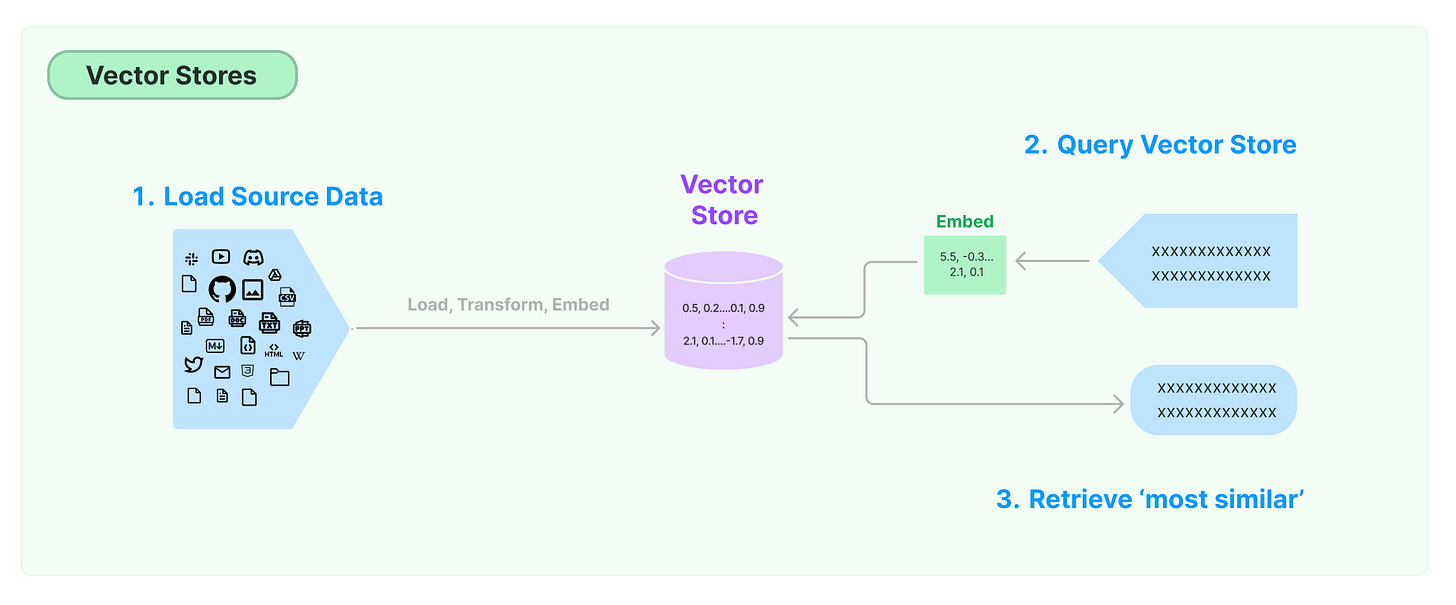
Vector stores
A vector store is a database of vector embeddings. Vector stores are an abstraction on top of embeddings datasets that have some nice parallelized properties on vectors like query, store. Popular vector stores are FAISS (Facebook AI Similarity Search), ChromaDB, and Pinecone. For this tutorial, we’ll be using pinecone.
Pinecone
-
Navigate to pinecone.io
-
Sign up for free.
-
Once you sign up successfully you should see a landing page to fill in your info. Select python as your language of choice and an AI agent project.
-
If all steps were completed successfully you should see a page like this and select create index.
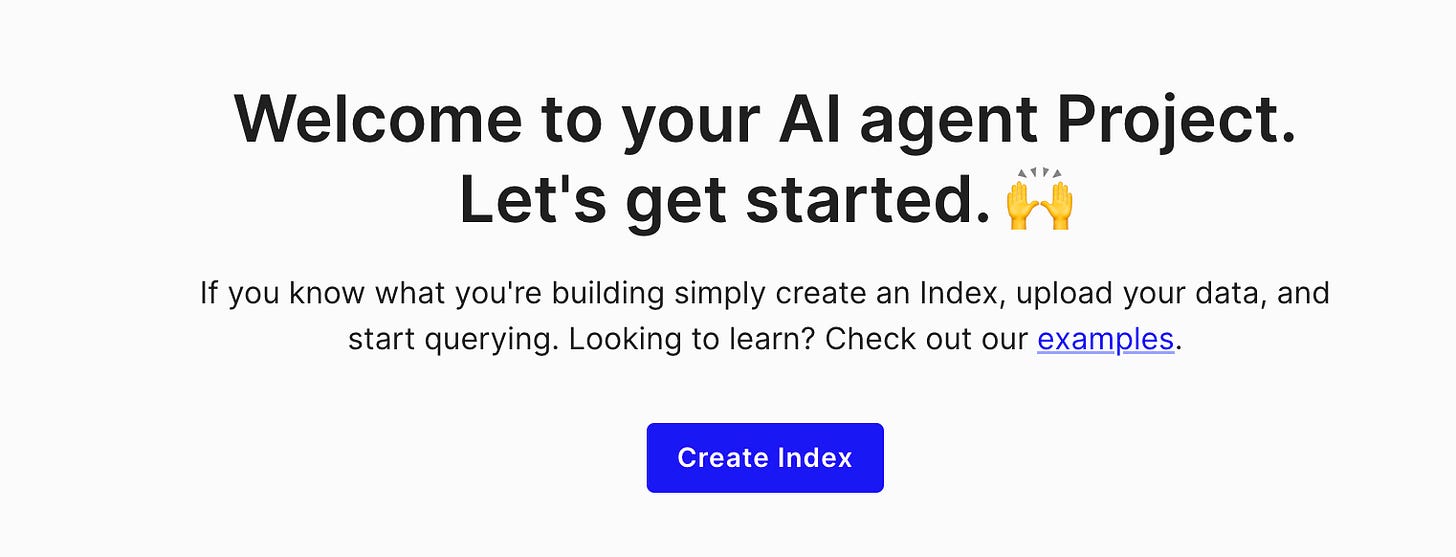
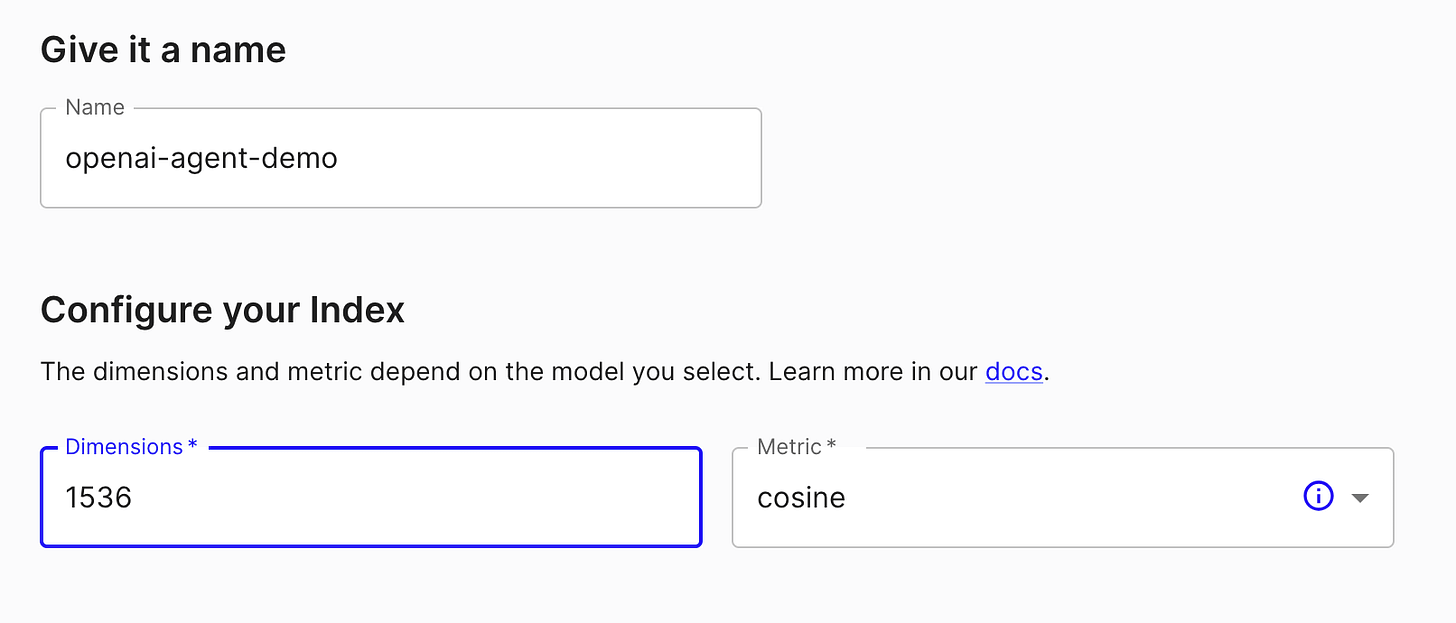
- Give it a name, for this project I’ll be calling it `openai-agent-demo`. Because we’re using OpenAI’s text-embedding-ada-002 model the vector size is 1536.
-
Create the index and press `Connect`
-
You should see the step necessary to initalize your pinecone index. This will be important later and should look something like this
import pinecone
pinecone.init(
	api_key=PINECONE_API_KEY,
	environment="gcp-starter"
)
index = pinecone.Index("openai-agent-demo")
Longterm memory
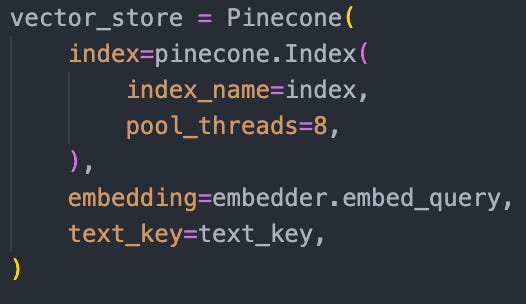
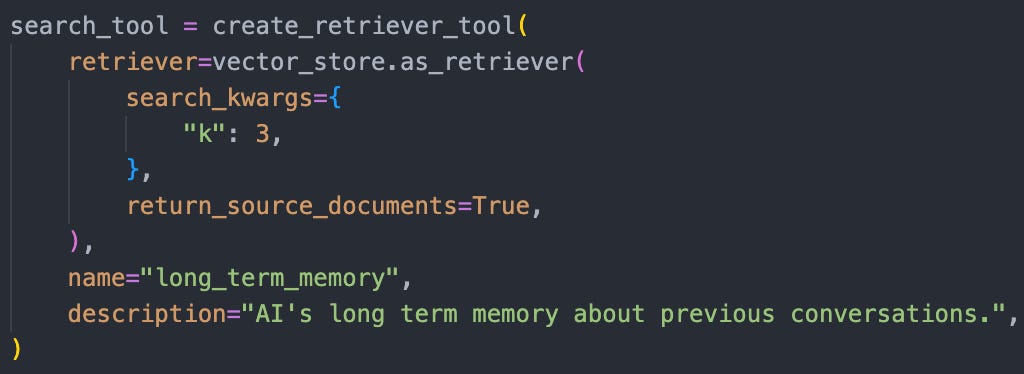
Now because we have our vector database setup and we understand the notion of a tool we can start wrapping our vector database in functions that are accessible to our agent. First we’ll initialize our vector store, then we’ll build the search tool, and then we’ll build the store tool which will give our agent the functions necessary for long term memory.
Note that the store tool is actually a bit more involved as we first need to split our text into chunks, then tokenize it using an embedder (under the hood this is OpenAI’s text-embedding-ada-002), and then upload it.
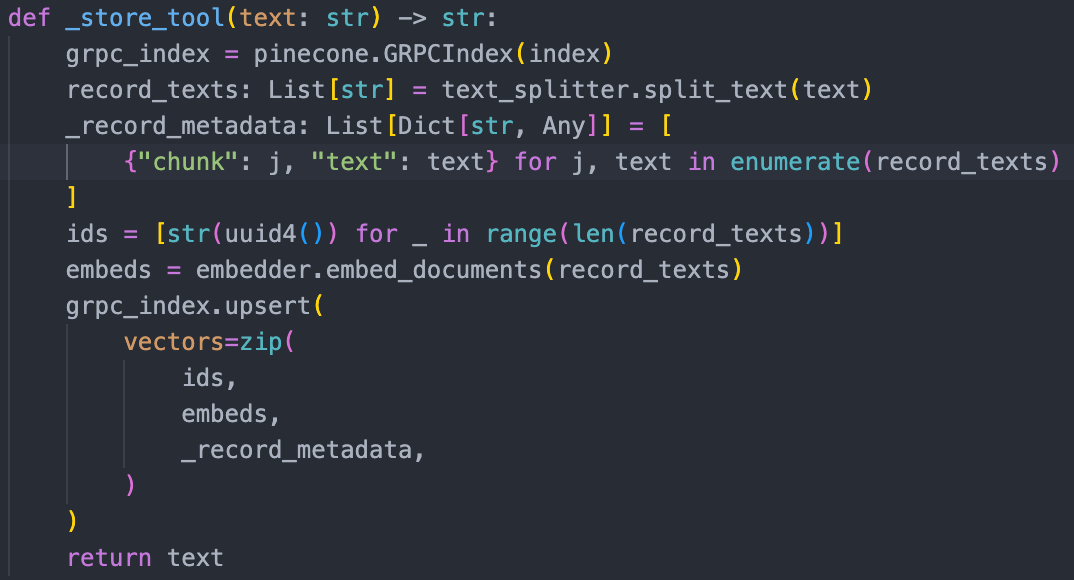
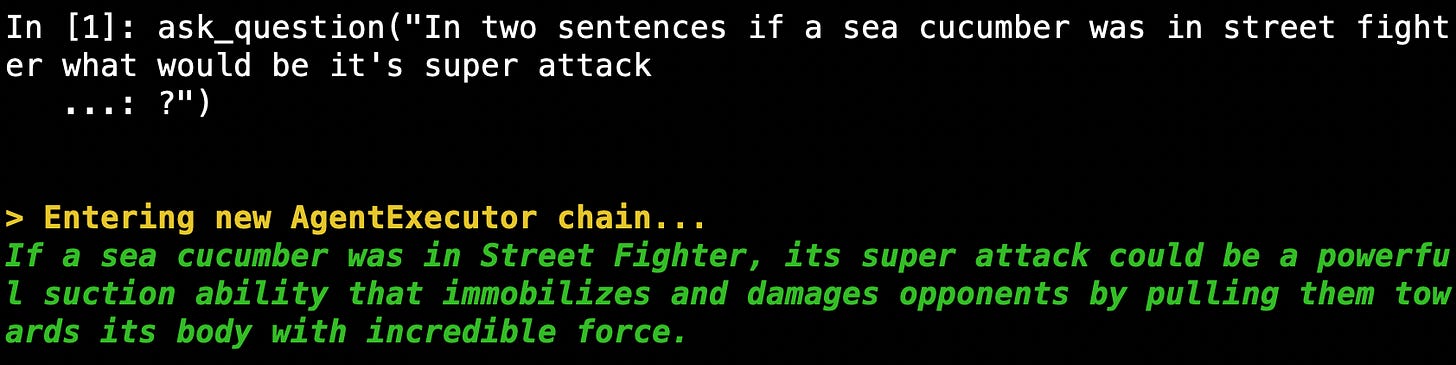
Let’s look at a random example, suppose that we ask a random question and then want to save it, what does that look like
- We ask a random question
- We ask our agent to save the chat
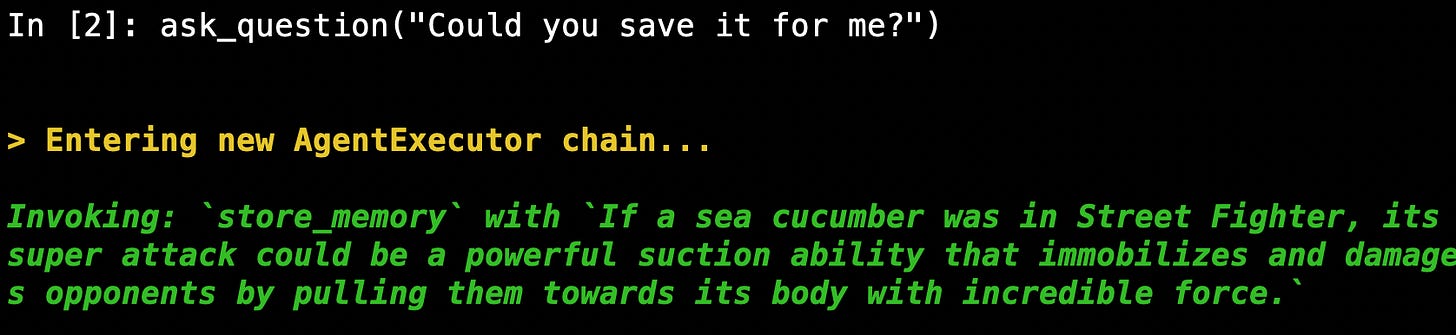
- We can see that the agent is passing in the original output we asked it to save.

- then we see that our text splitter creates a list of text chunks (in this case just 1).

- And finally we create a vector with the dimension we specified above.

And that’s it, now our model has longterm memory for all the agent outputs we ask it to save!
If you want to run this follow the steps in the README.md!
Conclusion
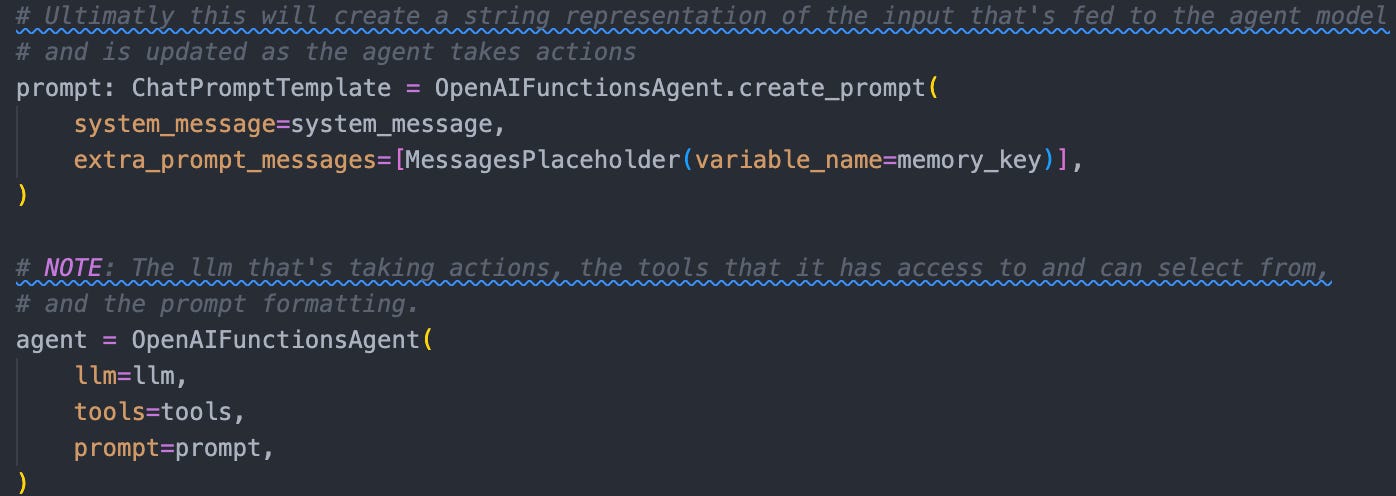
In this tutorial we discussed some of the fundamental concepts empowering Agents in LangChain. We discussed building a LangChain agent with a ChatOpenAI LLM, a short-term AgentTokenMemoryBuffer chat based memory, vector store databases and method for converting them into helpful tools for our agent. The last piece is to put this altogether!
As always I hope you enjoyed this tutorial! Next we’ll be looking at streaming outputs from the Agent and we’ll try to deploy a toy version of our streaming OpenAI LLM conversational agent. Until next time!